
From Board feedback to action, every cycle
Anyone can send a survey. The hard part comes after the responses arrive. Leadership still has to decide what matters, which relationships are at risk, whether a problem is isolated or systemic, who owns the fix, and whether it worked. That's the work CAM Ascent is built for.
Listen. Prioritize. Act. Measure. Repeat.
Listen. Your Boards give candid feedback to an independent third party instead of to their manager. Board members never need a login. They just take the survey.
Prioritize. You get a short, ranked list of the actions that matter most before the next cycle.
Act. Your team owns the actions. Our consultants help plan them and stay with you through the work.
Measure. At your executive review, we check whether those actions moved the result.
Repeat. Each cycle sharpens the picture and shows whether things are getting better.
The payoff is stronger renewals, more referrals, and a better reputation.
Consulting at the core
A ranked list only helps if someone works with you to turn it into a plan your managers can run. Then that same partner comes back and asks how it went. Most programs skip that part. It's the part we care about most.
Leadership visibility across the portfolio
One view of how your boards really feel, across every community you manage.
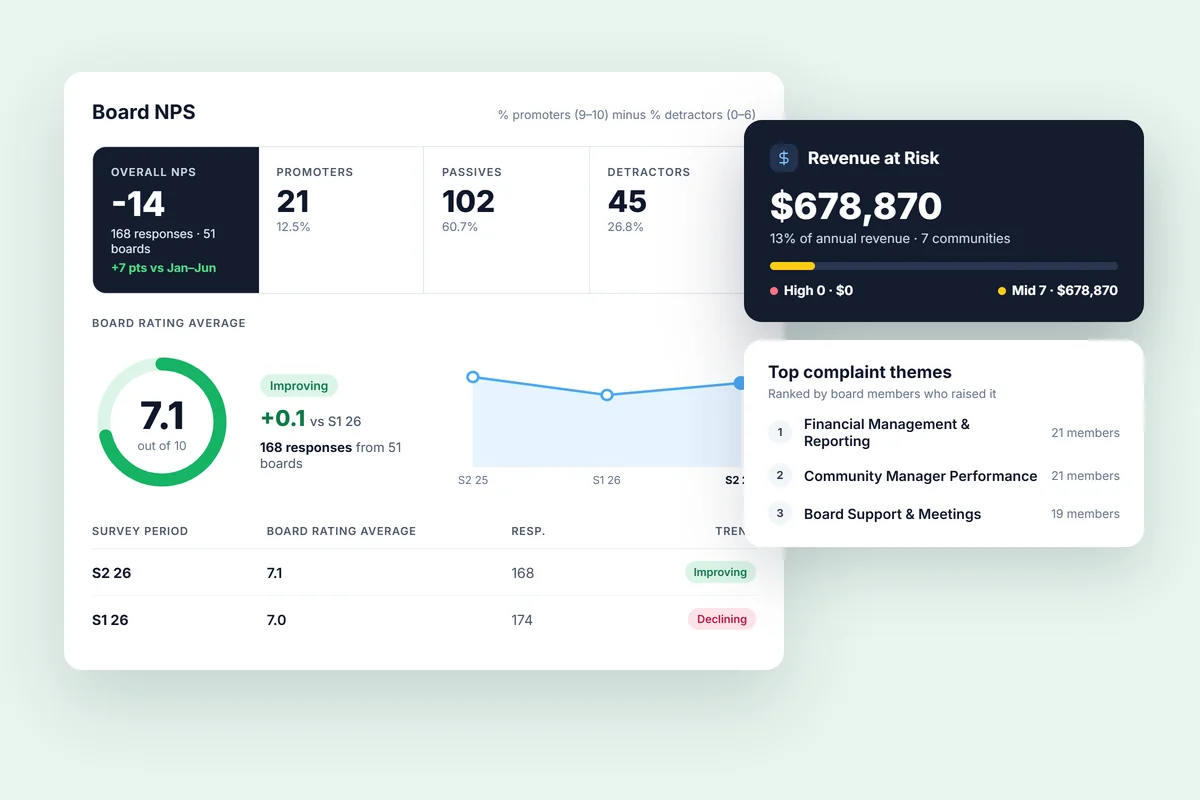
The leadership view.
Compare NPS, service ratings, and recurring complaints by portfolio, manager, or community. Your leadership team can see what’s working and where to focus next.
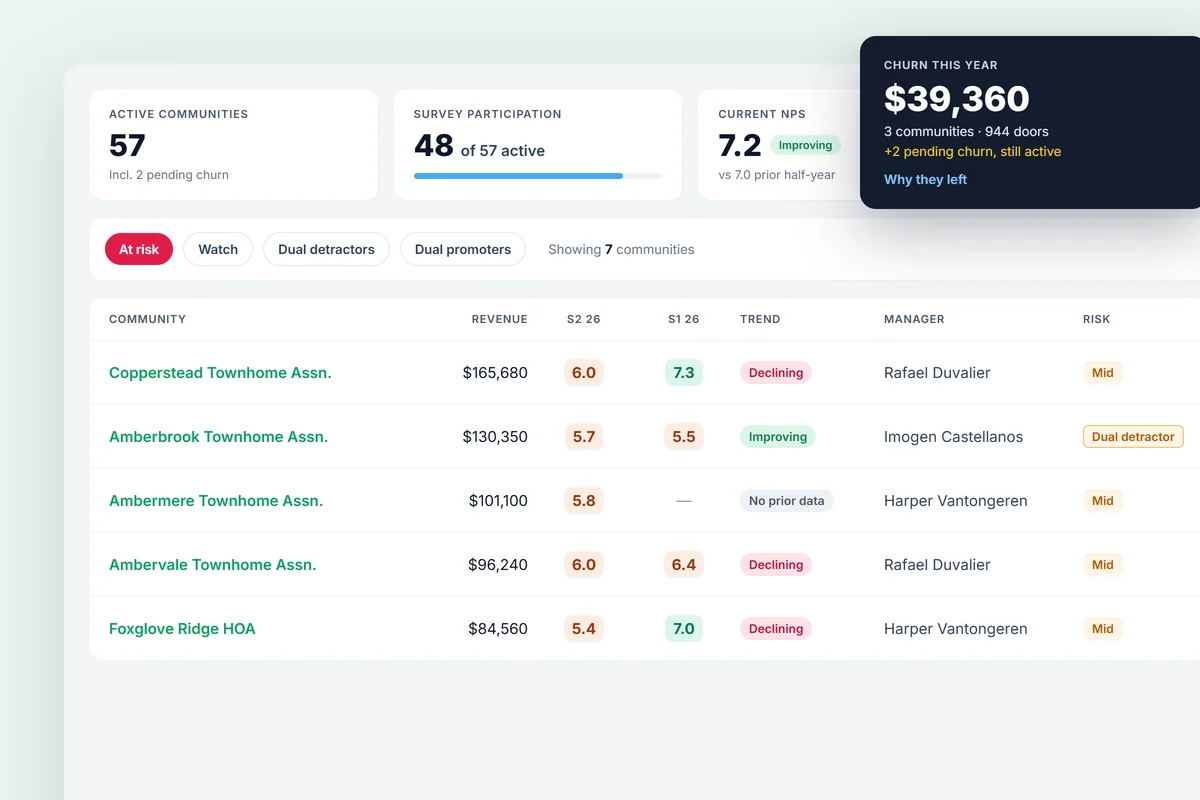
Every community in one list.
Revenue, score, responses, trend, manager, and risk flag for each community. Filter by office, community type, or management type, or search by name. Communities whose scores fall or rise two surveys in a row get flagged. A churn view keeps a record of why former clients left.
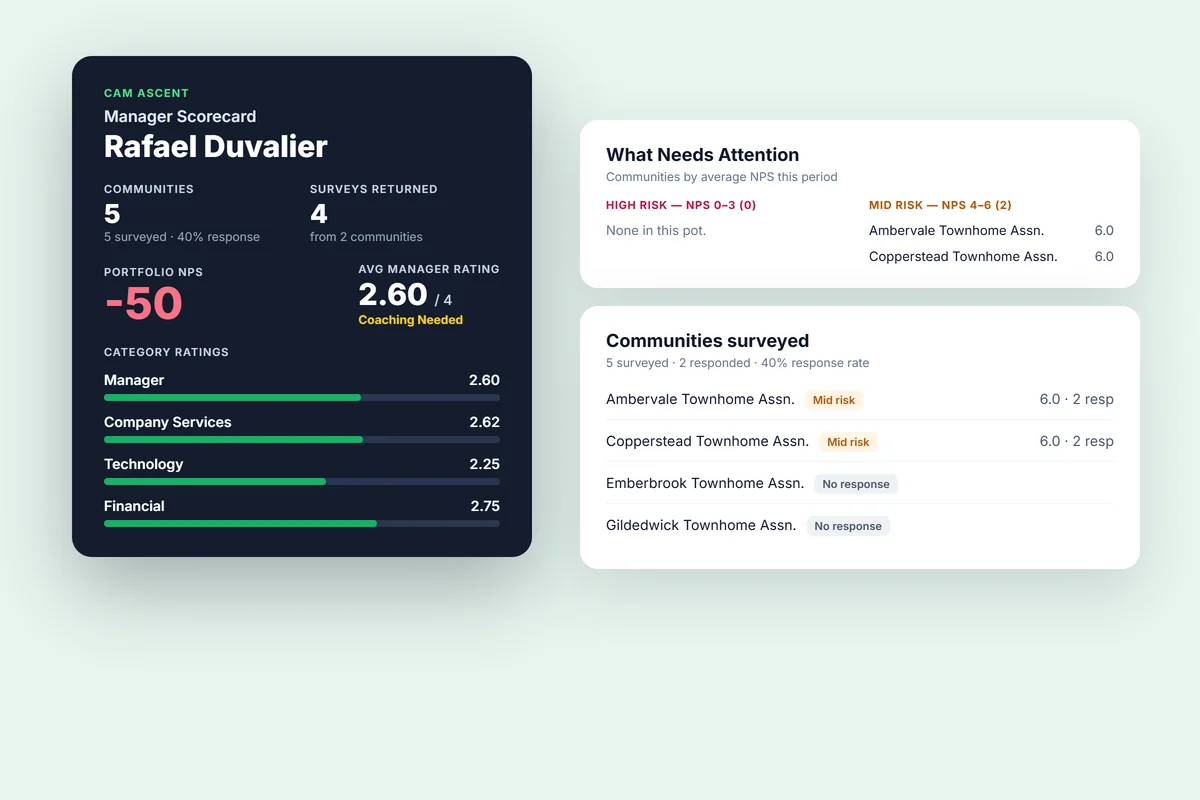
Manager scorecards.
Each manager gets an overall band, from Needs improvement to Excellent, with ratings by category and a comparison to the company. Every assigned community is listed with how many Board members were surveyed and how many responded, so a quiet portfolio can't pass for a perfect one. Each scorecard opens with what's going well, what to improve, and suggested actions. Your leaders can edit all of it and print it for the one-on-one.
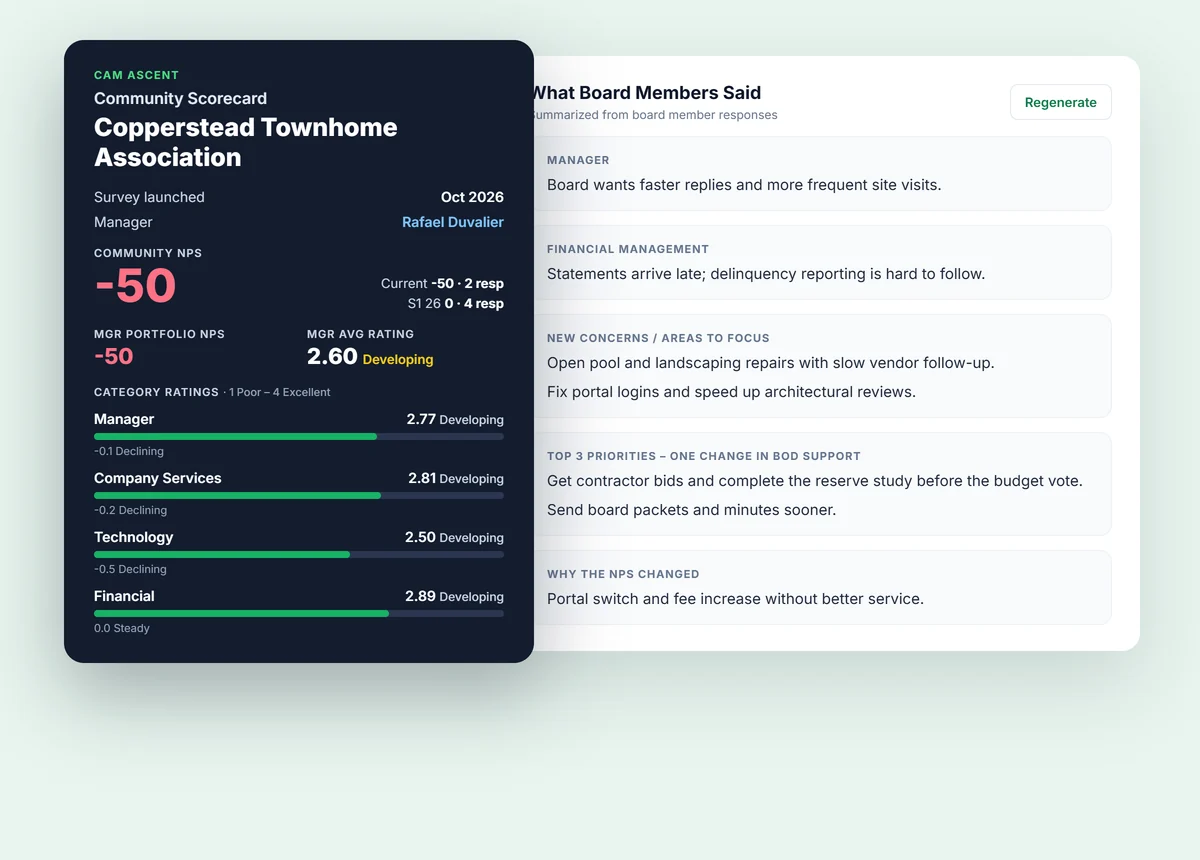
Community scorecards.
Scores by category for one community, compared with the prior survey, plus a summary of comments and the actions in progress. A new client's first survey is labeled as a first survey instead of showing empty comparisons.
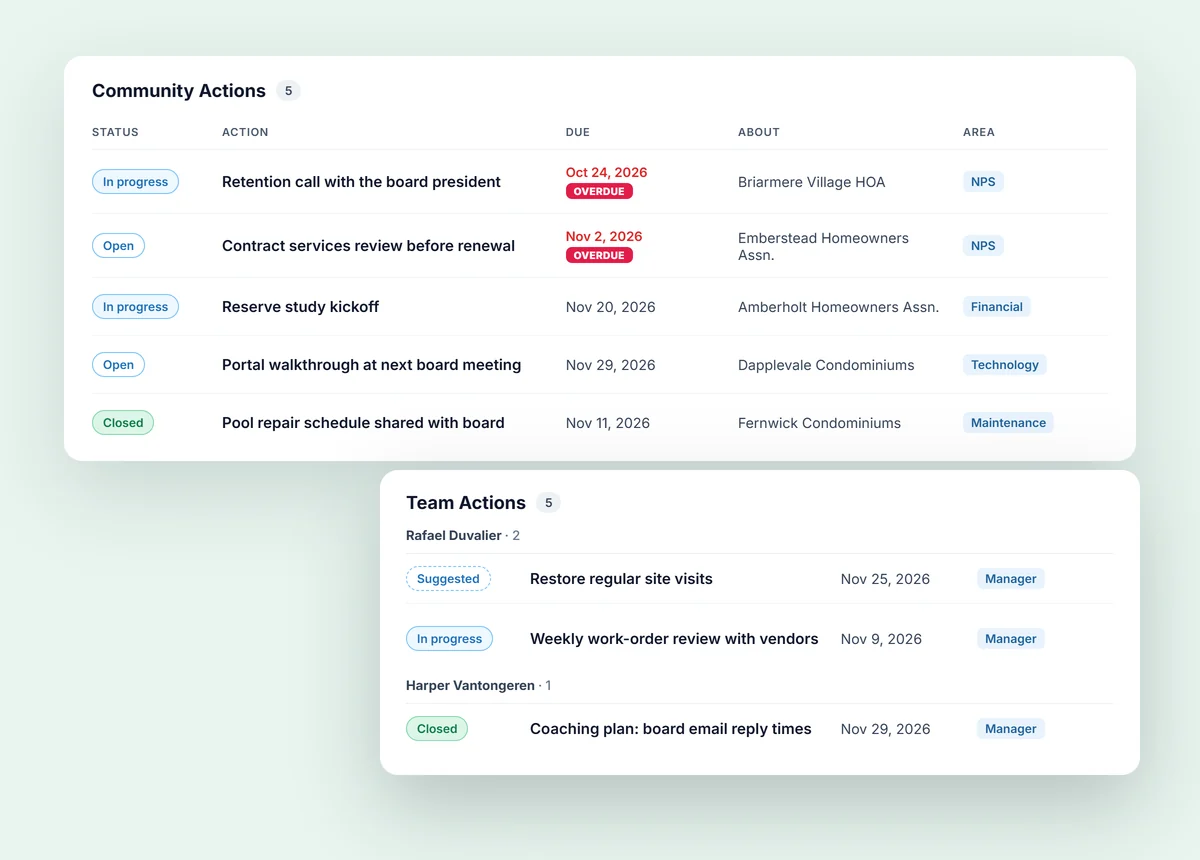
Actions and follow-through.
Company, team, and community actions in one place. Each has an owner, a start date, a due date, and a status: Open, In progress, or Closed. Link an action to the Board feedback behind it, so nobody has to remember why it's on the list. At the next survey, each action is marked Improved, Not improved, or Insufficient data, based on what Boards say about that area. Filter by supervisor, manager, community, or anything overdue.
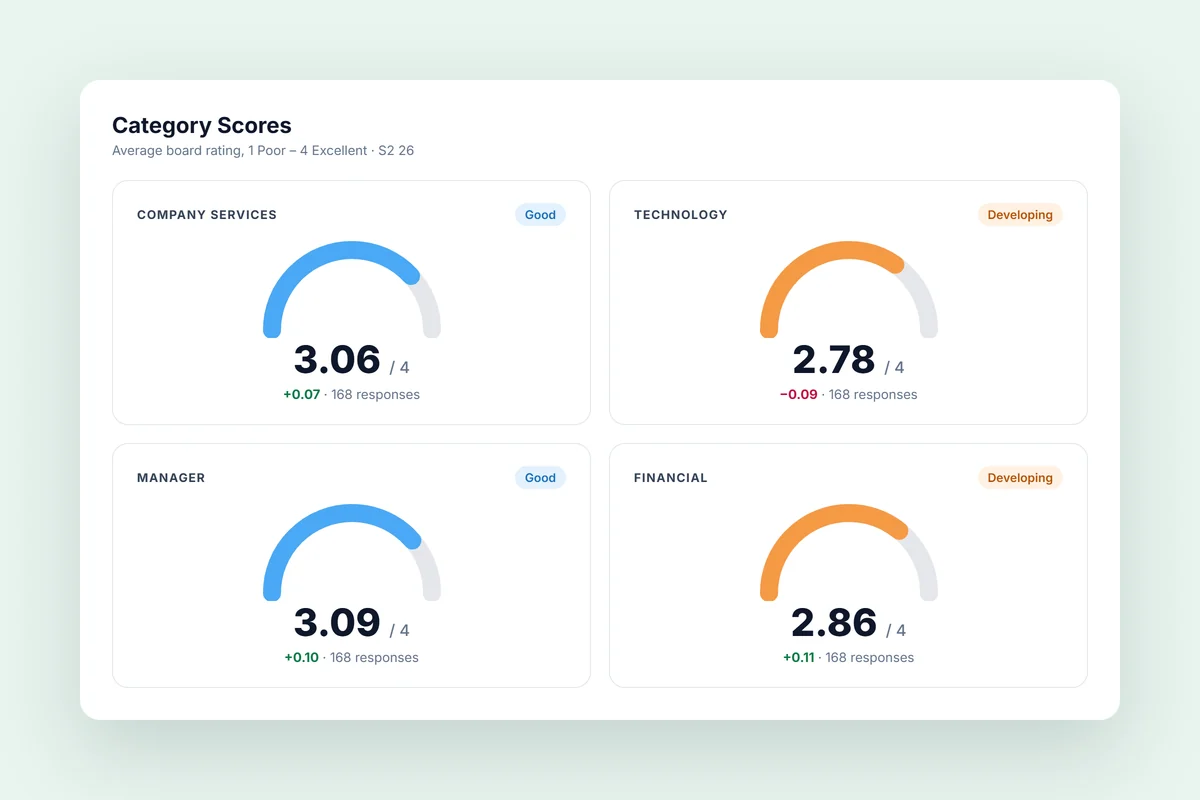
Your survey, your questions.
We build your survey with you, tagged to the areas that matter: your managers, service, technology, and financials. If a question changes later, past scores stay as they were, so your trends stay honest.
Put Board feedback to work.
Detractor notifications.
When a Board member gives a negative score, your team gets a notification with the details right when it arrives.
Positive reviews online.
We help push positive reviews to strengthen your company’s online reputation.
What getting started looks like
Getting started takes very little of your team’s time.
Align on goals.
We learn what matters most to your leadership team and your boards.
Design your survey.
Together we set the questions, the communities included, and the timing.
Launch with confidence.
We handle board contact lists, invitations, and reminders so participation stays high.
Act on results.
We walk your team through the findings and help you build a follow-up plan before the next cycle.
You shouldn't have to wait for a termination notice to learn something is wrong.
Your Retention & Growth Review starts with a conversation about your portfolio, your concerns, and your goals.